Introducing Playwright UI
Before deep-diving into CMS 2.0, as promised last week, there is an important announcement to make
I was (still am, despite what you'll read in this post) a proponent of using Behat for the automatic end-to-end testing of Drupal site - its language is very close to English (or whatever natural language you prefer in your workflow), it's written in PHP, directly communicates with the browsers via WebDriver, and has a very good accompanying Drupal module. I've used it in everyday practice with different clients and have spoken about using it with Drupal at multiple conferences, last one being Drupal Developer Days Leuven 2025.
My primary client runs a complex Drupal commerce website, and building the set of scripts that convert regularly update price lists from Excel/CSV into Behat feature (test scenario in Behat terms) is something that I'm really proud of (but can't disclose any details for confidentiality reasons).
The "drill" for any price change, be it a start/end of seasonal campaign, one-time promotion, or annual price indexation, is straightforward: customer sends the prices Excel => script converts to Behat => test on staging => deploy to production => test on production.
What the "drill" means also, is that in case of any discrepancy between the prices in Excel and on the website, we need to ask the customer and they fix either the prices file, or the price in the backend system
The customer always wanted to play a more active role.
Launch the tests against any environment (not necessarily staging or production) and update the tests by themselves
Without disclosing any client-specific details, we've discussed the challenge with Maya, and she immediately suggested Playwright - popular end-to-end testing tool from Microsoft that she was actively using on her previous job.
The task was to build a web-based UI that allowed to configure existing playwright tests (i.e. change the price file in use) and run them with different browsers.
It took a couple of days for Maya to build the first prototype, and a couple of days for me to convert the most important test from Behat to Playwright.
There were some rough edges, but the customer was happy!
What happens now is that they launch company-specific tests in docker containers on their personal computers, and can experiment with the prices files without involving developers anymore.
The tests themselves are private and stay in the repository of the client, but the configuration interfaces is something that we're happily share with everyone today.
Please welcome Playwright UI
In short, this is a node.js/express application that intercepts calls to start the tests and then the tests output.
This application is packaged in a docker container (ghcr.io/wisetrout/playwright-ui).
There are 2 modifications (described in project's README) that need to be added to every test so that they can be recognized, but they are small.
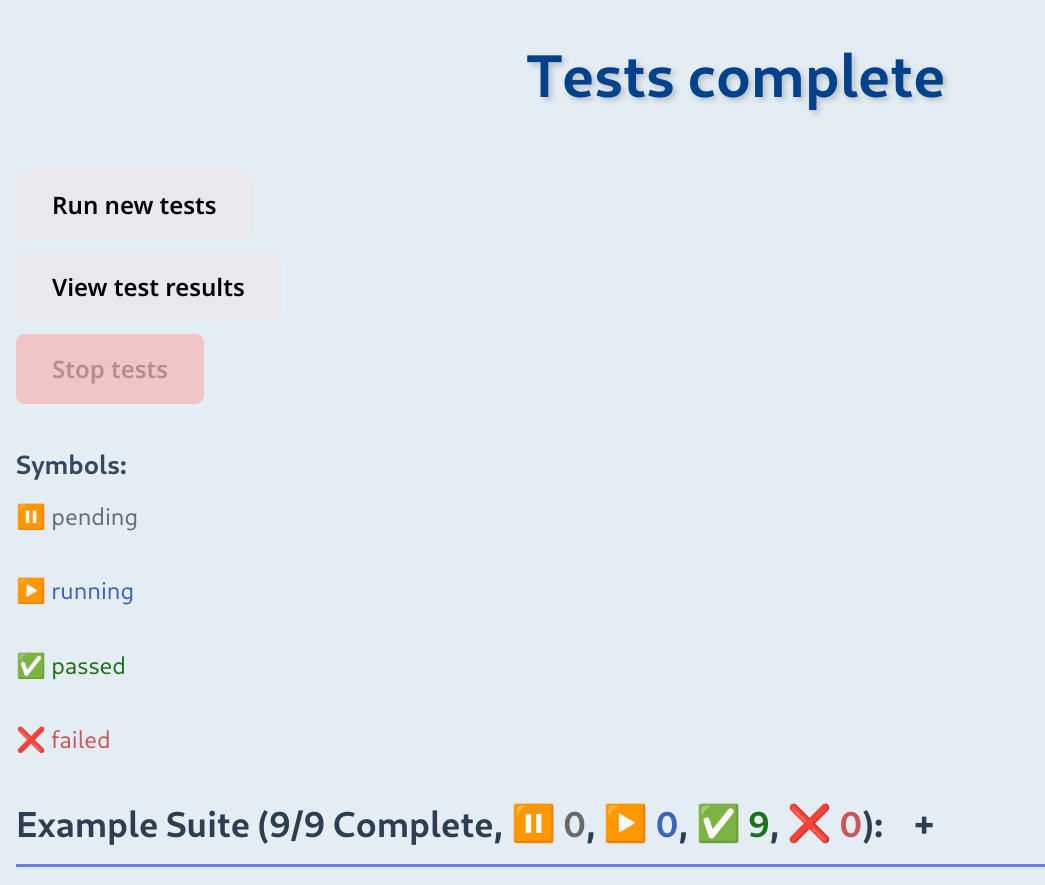
For a quick start, the repo contains several tests that illustrate the functionality.
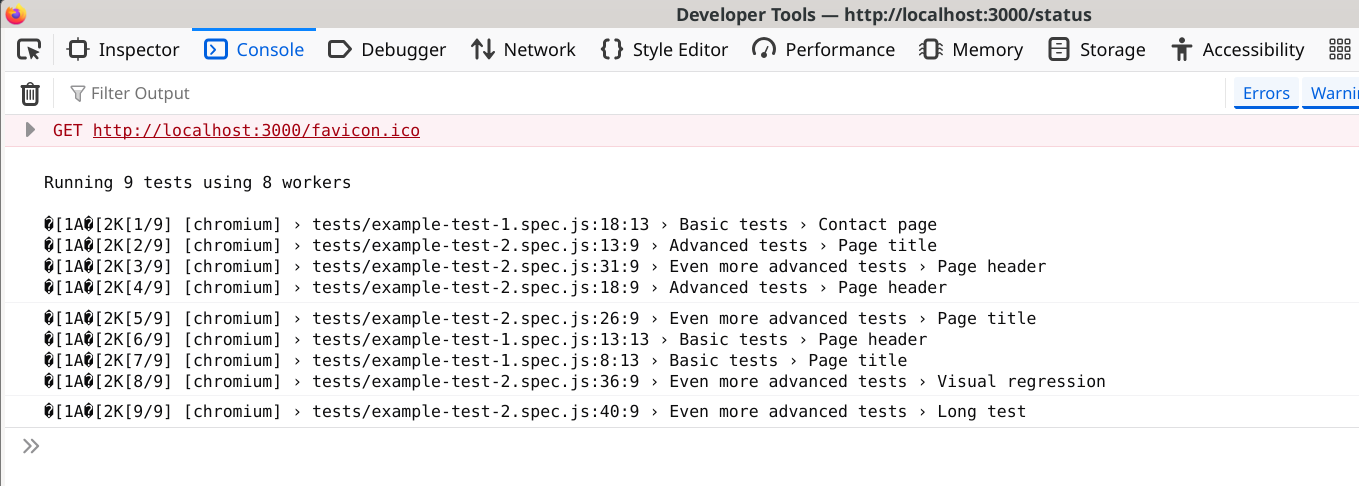
Debugging messages sent by a test (using console.log()) are output to the browser console:
There is an optional authentication with anti-CSRF protection and bcrypt encryption
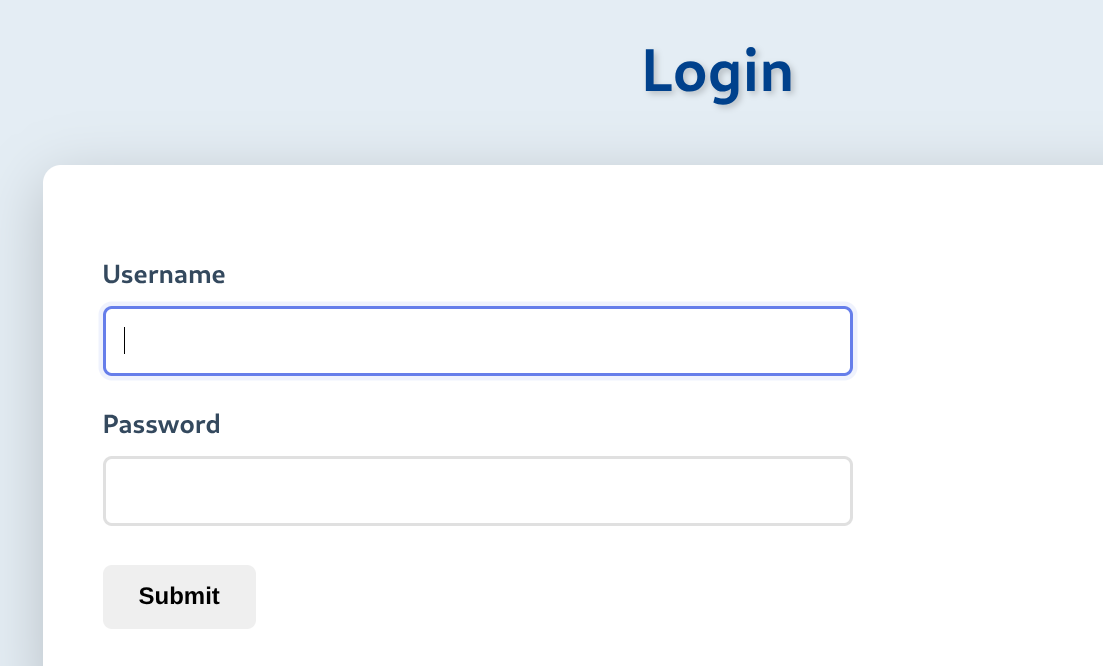
but the main use case so far was local usage of the tool, so authentication wasn't thoroughly tested.
The current version of the package is 0.1, so you should (still!) expect some rough edges, but the results are promising.
Final dislaimer: Maya is open for work, so if your company is looking for a full stack JavaScript developer, don't hesitate to contact.